

How to Automate Supplies Reordering for Office-Technology Dealers

July 13, 2026 · 7 min read
On this page
- Why is manual supplies reordering such a drain on dealers?
- What does an automated supplies reordering flow look like?
- How do you set up automated supplies reordering? (Step-by-step)
- How does AI handle the supplies requests that still come in from customers?
- What results should a dealer expect after automating supplies reordering?
- FAQ
- Ready to see it on your own queue?
Automating supplies reordering means customers can request toner — and devices can trigger their own replenishment — without a person touching a ticket. Dealers do it by combining device monitoring tools like Printanista or FMAudit with an AI support layer that verifies the request, checks contract entitlement, and confirms the order. This guide walks through the full setup, step by step.
Why is manual supplies reordering such a drain on dealers?
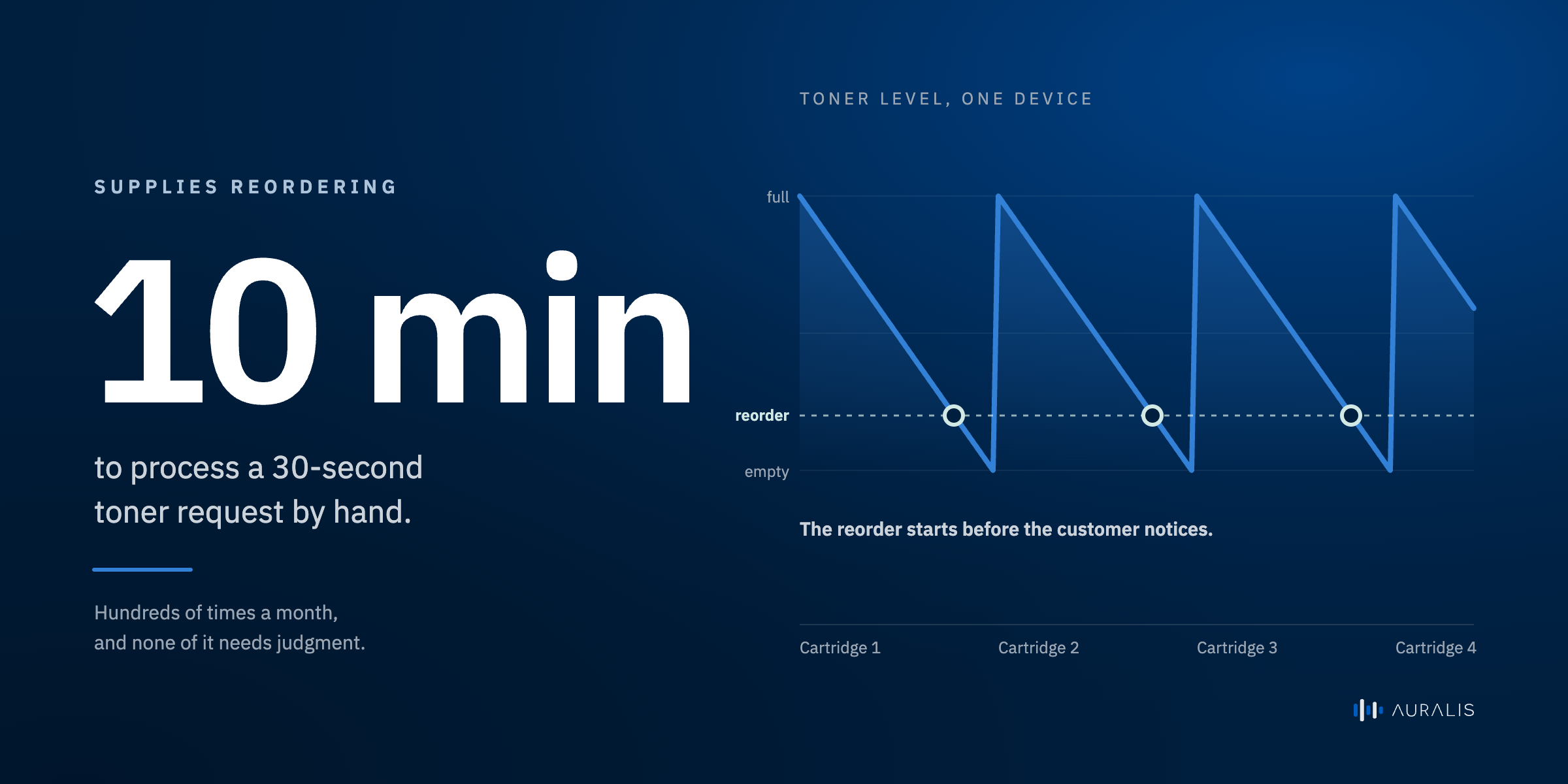
Because it turns a 30-second request into a 10-minute job — hundreds of times a month. A customer emails or calls: "we need black toner for the copier on the third floor." Someone on your team has to identify the account, find the right device, check which cartridge it takes, confirm the contract covers supplies, create the order, and reply. None of that requires judgment. All of it eats staff time.
The hidden costs stack up:
- Interruptions. Requests arrive all day and break your team's focus on real service work.
- Errors. Wrong cartridge, wrong device, wrong address — each mistake means a return and an annoyed customer.
- After-hours gaps. A customer who runs out of toner at 6 p.m. waits until tomorrow.
- No leverage. Every new MPS contract adds devices, every device adds requests, and headcount scales with fleet size — unless you automate.
What does an automated supplies reordering flow look like?
In an automated flow, the request is captured, verified, and confirmed by software, and a human only sees the exceptions. Here is the manual flow next to the automated one:
| Step | Manual flow | Automated flow |
|---|---|---|
| Request arrives | Email, call, or voicemail sits in a queue | Customer messages AI chat any time, or the device triggers the request itself |
| Identify account & device | Agent looks it up in e-automate | AI matches the customer and device from synced dealer data |
| Check entitlement | Agent checks the contract manually | AI checks whether supplies are covered under the contract data in its Knowledge Center |
| Confirm the right item | Agent cross-references cartridge models | AI confirms the exact consumable for that device model |
| Place & confirm | Agent creates the order, replies later | AI confirms with the customer instantly; order details route to your fulfillment process |
| Exceptions | Everything is an exception | Only genuine edge cases reach a human |
The customer gets an instant answer. Your team gets their day back.
How do you set up automated supplies reordering? (Step-by-step)
You can move from fully manual to mostly automated in five practical steps. Treat this as your HowTo checklist:
- Map your current supplies requests. Pull a month of tickets. Tag how each arrived, what the customer needed, and how long it took. Most dealers find supplies requests are their biggest and most repetitive ticket category.
- Get your device and contract data in order. Automation is only as good as the data behind it. Make sure e-automate records are current, and that Printanista or FMAudit is actively monitoring the fleet and reporting consumable levels.
- Stand up a governed knowledge source. The AI needs one source of truth for "which cartridge fits which device" and "what does this contract cover." A governed Knowledge Center — rather than scattered docs — keeps answers accurate.
- Turn on AI handling for the routine path. Let the AI take the standard cases first: identified customer, known device, covered contract, standard consumable. Route anything ambiguous to your team with context attached.
- Add the proactive layer. When Printanista or FMAudit flags a cartridge below threshold, the reorder can start before the customer even notices. Proactive replenishment turns supplies from a support burden into a retention feature — customers simply never run out.
Review the exception queue weekly for the first month. Every exception is either a data fix or a new rule, and the automated share climbs steadily.
How does AI handle the supplies requests that still come in from customers?
An AI support agent resolves routine supplies requests end to end, in chat or on the phone, in any hour. Here is how Auralis approaches it for office-technology dealers:
- Autopilot handles the conversation: identifies the customer, confirms the device and consumable, and confirms the reorder — with no queue and no hold music.
- Answer does the same on voice calls, so the customer who prefers to phone it in gets the same instant handling.
- The Knowledge Center is the guardrail: approved dealer data syncs from e-automate, Printanista, and FMAudit into the Knowledge Center, and approved updates post back to e-automate through the ESN API, so the AI answers from your real account, device, and contract records — it never invents an answer.
- Assist gives your human team full context on the exceptions that do escalate, so nobody starts from zero.
Across support workloads, Auralis resolves up to 75% of requests automatically, and the humans it supports get roughly ~5x more productive because they only see the work that needs them. Supplies reordering is usually the first and fastest category to automate — see the dedicated supplies reorder automation page for the full use case, and the Printanista integration and e-automate integration pages for how the data flows. For the bigger picture, start at the office-technology hub.
What results should a dealer expect after automating supplies reordering?
Expect the routine majority of supplies requests to stop reaching your team, with fewer errors and faster customer confirmations. Qualitatively, dealers see three shifts:
- Volume shifts off the queue. Routine toner requests — typically the largest single ticket category — get resolved without an agent.
- Accuracy improves. The AI checks the device record every time; it doesn't guess cartridge models from memory.
- Coverage extends. Requests at 9 p.m. or on Saturday get handled at 9 p.m. or on Saturday.
The ops lead's job changes from processing requests to reviewing exceptions — a much better use of a scarce, knowledgeable person.
FAQ
Can AI really place a supplies order without a human checking it?
What happens when a customer asks for something the AI can't handle?
Do we need Printanista or FMAudit for this to work?
Will automation change how our supplies orders get fulfilled?
How long does it take to get this running?
Ready to see it on your own queue?
Book a demoFor e-automate dealers
See Auralis on your own service desk
A 30-minute walkthrough on your workflow — meter reads, dispatch, supplies and escalation.
Book a demoCo-Founder & CEO
Related posts

Copier dealer call taker job description: duties, skills, and interview questions
A job description template for a copier dealer's service desk call taker: a summary, six duties, the skills worth screening for, and five interview questions.

Service-call intake: the 7 fields dispatch needs every time
e-automate's service call screen has a lot of fields. These are the seven we'd fill in on every call before it leaves intake, and why each one matters to dispatch.

Month-end meter-read close: a checklist for office technology dealers
Contract billing in e-automate runs through four tabs, and its validation warnings show up in the billing queue. A six-step checklist for closing meter reads at month end.