

How to Cut Dispatch Load with AI Ticket Triage

July 13, 2026 · 6 min read
On this page
- Why do so many service tickets never need a technician in the first place?
- Which tickets can AI safely resolve, and which should always escalate?
- What does AI triage actually change for the dispatcher?
- How does Auralis handle ticket triage for office-technology dealers?
- How do you roll out AI triage without hurting service quality?
- FAQ
- Ready to see it on your own queue?
AI ticket triage reduces dispatch load by resolving routine service requests before they become tickets, and by qualifying the rest so dispatchers only handle work that truly needs a technician. The AI guides customers through known fixes, gathers diagnostic details, and escalates cleanly — so fewer trucks roll for problems a reboot would have solved.
Why do so many service tickets never need a technician in the first place?
Because a large share of "the copier is broken" calls are actually paper jams, error codes with known fixes, connectivity hiccups, or user questions. Any service manager can list them from memory: the jam the customer didn't clear fully, the "offline" printer that needed a driver reselect, the error code that clears with a power cycle, the scan-to-email that broke when the customer changed their password.
Each of these still costs you the same intake work as a real hardware failure: someone answers the call, creates the ticket, and a dispatcher evaluates it. Worst case, a technician drives out, fixes it in four minutes, and drives back. That's a half-day of capacity spent on a non-problem — while a genuinely down machine waits.
Which tickets can AI safely resolve, and which should always escalate?
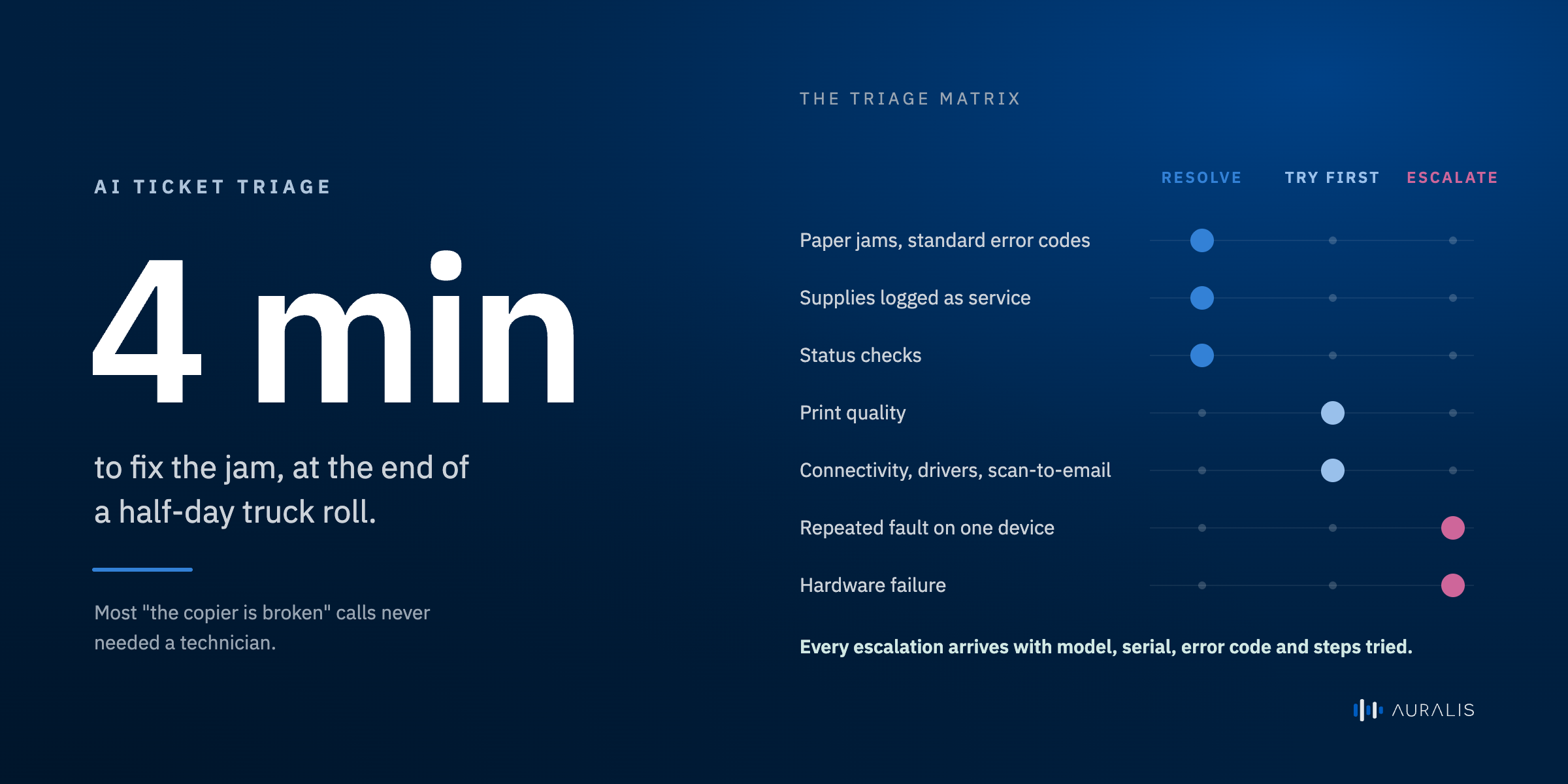
AI should resolve the routine, documented, low-risk requests and escalate anything involving hardware failure, safety, or ambiguity. The line matters — an over-aggressive bot that blocks real service calls damages trust faster than any efficiency gain repays. A realistic triage matrix looks like this:
| Ticket type | AI action | Why |
|---|---|---|
| Paper jams, standard error codes | Resolve — guide the customer through the documented fix | High volume, well-documented, low risk |
| Print quality (lines, spots, fading) | Attempt resolution — cleaning/calibration steps, then escalate if unresolved | Often user-fixable; clear escalation path if not |
| Connectivity / driver / scan-to-email | Attempt resolution — step-by-step checks, escalate with diagnostics attached | Frequently resolved without a visit |
| Supplies mistaken as service ("toner error") | Resolve — reroute to the supplies flow | Common misclassification; instant fix |
| Status checks ("where's my tech?") | Resolve — answer from synced ticket data | Pure lookup; no human needed |
| Repeated fault on the same device | Escalate with history attached | Pattern suggests a real hardware issue |
| Hardware failure (grinding, burning smell, dead unit) | Escalate immediately — priority-flagged | Never troubleshoot safety issues with a bot |
| Angry or escalating customer | Escalate immediately to a human | Relationship risk outweighs deflection |
| VIP / contractual SLA accounts | Escalate per your rules | You decide the white-glove list |
The principle: the AI earns the right to triage by knowing when not to. Every escalation should arrive with the model, serial, error code, and steps already tried — so it's a better ticket than a human intake would have produced.
What does AI triage actually change for the dispatcher?
The dispatcher stops being an intake clerk and becomes a scheduler of qualified work. Three concrete shifts:
- Fewer tickets arrive at all. The routine fixes get resolved in the conversation, so they never enter the dispatch queue.
- The tickets that do arrive are pre-qualified. Device identified, symptoms structured, troubleshooting already attempted and logged. The dispatcher isn't calling the customer back to ask "what does the display say?"
- Priorities are visible. Real hardware failures and SLA accounts are flagged on arrival instead of discovered mid-queue.
The result is fewer wasted truck rolls and faster response on the calls that genuinely need a technician — which is what your service reputation is actually built on. First-visit fix rates improve too, because technicians arrive knowing the fault instead of diagnosing from scratch.
How does Auralis handle ticket triage for office-technology dealers?
Auralis puts an AI agent in front of the ticket queue that resolves what it can and qualifies what it can't. For dealers, the pieces work like this:
- Autopilot takes service requests on chat and messaging, walks customers through documented fixes, and creates clean, structured escalations when a visit is needed.
- Answer does the same on the phone — where most "it's broken" calls still arrive — with transcription so nothing is lost at intake.
- The Knowledge Center holds your troubleshooting content and your operational truth: approved dealer data syncs from e-automate into the Knowledge Center, and approved updates post back through the ESN API, so the AI knows the customer, the device, the contract, and the ticket history it's talking about — and never makes answers up.
- Assist supports your dispatchers and agents on the escalated tickets, and Audit scores every triage conversation so you can verify the AI is escalating when it should.
Across support workloads, Auralis resolves up to 75% of requests automatically, and dispatchers and agents get roughly ~5x more productive because they only touch qualified work. The full use case lives on the service-ticket deflection page; how the data connects is covered on the e-automate integration page, and the wider picture at the office-technology hub.
How do you roll out AI triage without hurting service quality?
Start narrow, measure escalation quality, and expand category by category. A sensible sequence:
- Turn on status checks and supplies rerouting first. Zero-risk lookups that immediately cut queue noise.
- Add the top three documented fixes (jams, common error codes, connectivity). These are your highest-volume, best-documented categories.
- Review escalations weekly. Are they arriving with complete diagnostics? Is anything escalating too late? Tune the rules.
- Expand the resolve list as the data proves out — and keep hardware, safety, and VIP rules firmly on the escalate side.
Service managers keep control the whole way: the triage matrix is yours to set, and Audit gives you a quality score on every conversation, bot or human.
FAQ
Will customers accept troubleshooting with an AI instead of a person?
How does the AI know which fixes apply to which machine?
What if the AI walks a customer through a fix and it doesn't work?
Can we decide which ticket types the AI is allowed to handle?
Does AI triage replace our dispatchers?
Ready to see it on your own queue?
Book a demoFor e-automate dealers
See Auralis on your own service desk
A 30-minute walkthrough on your workflow — meter reads, dispatch, supplies and escalation.
Book a demoCo-Founder & CEO
Related posts

Copier dealer call taker job description: duties, skills, and interview questions
A job description template for a copier dealer's service desk call taker: a summary, six duties, the skills worth screening for, and five interview questions.

Service-call intake: the 7 fields dispatch needs every time
e-automate's service call screen has a lot of fields. These are the seven we'd fill in on every call before it leaves intake, and why each one matters to dispatch.

Month-end meter-read close: a checklist for office technology dealers
Contract billing in e-automate runs through four tabs, and its validation warnings show up in the billing queue. A six-step checklist for closing meter reads at month end.