

Retail POS Documentation and Unification

October 24, 2025 · 44 min read

On this page
- Retail POS at the Edge: What Runs the Store, What Slows It
- Why More Data Doesn’t Mean Better Decisions in Retail POS
- How Fragmentation Creeps Into Retail POS Workflows
- From Tribal Knowledge to Unified Intelligence
- Designing a Service↔Field Knowledge Loop
- Your Field Techs Don’t Need Another App — They Need the Right SOP Offline
- Citations Over Confidence: How Source-Linked Answers Build Trust in POS Support
- Building the Retail POS Knowledge Graph
- Proof in Action: How Retail Service Leaders Are Fixing Fragmentation
- The Roadmap to Knowledge Unification
Retail POS at the Edge: What Runs the Store, What Slows It
The operating reality
Retail runs at the lane. Point-of-sale systems, peripherals, payments, price files, promotions, loyalty, and store networks converge in seconds. Tech integrators bind OEM hardware, device drivers, middleware, tax and tender services, and back-office platforms. The estate is intentionally mixed: multiple device models, several software generations, regional variants, partner add-ons. Change is continuous. Seasonal releases, compliance updates, and SKU expansions introduce new behavior every few weeks. Throughput and first-time-right fixes determine whether queues move or stall.
Where operations actually break
Most incidents don’t start with silicon. They start with scattered know-how. Answers sit in PDFs, ticket notes, SharePoint folders, vendor portals, and a few senior technicians’ heads. Search is brittle. Version control is uneven. Three documents describe the same fix differently; none match what the store sees. Escalations occur not because the fault is exotic but because the retail POS documentation in front of the user is wrong for the context. This isn’t a content scarcity problem. It is a knowledge unification problem.
What fragmentation looks like on shift
- Five tools open to solve one ticket.
- Conflicting SOPs with different step orders.
- “Ask Priya” as the real escalation path.
- Firmware-specific steps missing from the article at hand.
- Private notes outranking official guidance.
Every duplicate article and stale checklist adds cognitive tax. Cognitive tax becomes longer handle time, repeat dispatches, and visible friction at checkout.
Why POS knowledge is uniquely hard
The same symptom hides multiple causes. “Receipt printer offline” can mean driver mismatch, port configuration, spooler behavior, permissions, cable, or a recent image update. The correct path depends on device model, OS build, POS version, and store profile. The frontline needs the right sequence for this configuration, not a generic checklist. When documentation is fragmented, agents and techs cannot reliably choose the correct path inside tight time budgets. Tribal fixes fill the gap. They work until a slightly different setup breaks the assumption and the fix fails on the next shift.
Early signals leaders should track
- First-time-fix plateaus because step lists and parts vary by source.
- Time to dispatch stretches when skills, SOPs, and parts aren’t visible in one view.
- Handle time grows as agents search across tools rather than follow a proven path.
- Training duration expands as new hires learn tool sprawl before diagnostic judgment.
- Store confidence erodes when two shifts give two different answers to the same fault.
The economics of fragmentation
This is not abstract. A truck roll consumes labor, travel, and lost selling time. Misdiagnosis multiplies that cost with a second visit. During peak, minutes of lane delay cascade into abandoned baskets and lower throughput. In the contact center, Tier-1 volume remains high when the same proven fix is duplicated across systems, labeled differently, or trapped in outdated runbooks. Variability becomes cost. Cost becomes backlog. Backlog becomes churn.
What “unified” actually means
Unification is an architectural correction, not a new portal.
Core elements of a unified knowledge system
- Ingest and normalize. Manuals, past tickets, videos, release notes, and vendor bulletins enter a common structure.
- Bind to context. Procedures are tied to product versions, device models, store profiles, and hazards.
- Govern. Owners, review cadences, and deprecation rules keep guidance current.
- Expose where work happens. POS, chat, mobile. Guidance lives in the tools, not behind them.
- Make it offline-capable. Critical SOPs are cached; outcomes sync when the network returns.
- Add AI copilots. The assistant delivers step-by-step answers with source traceability inside the enterprise.
What changes in the work
- Agents stop hunting and start resolving because search friction is removed.
- Authors stop duplicating content and start curating one canonical path per fix.
- Schedulers see skills, parts, and SOPs together, so dispatches match reality.
- Technicians follow one guided sequence aligned to the actual device and software profile.
- Training compresses because the assistant teaches workflows, not tool archaeology.
- Audit becomes straightforward because answers are traceable to governed sources.
Evidence you can operationalize
When knowledge unification feeds AI copilots, routine resolutions accelerate, cost per ticket declines, and first-time-fix improves. In a retail technology provider environment, unifying the knowledge corpus and deploying an assistant moved a large share of routine queries to auto-resolution, saved double-digit hours per agent each week, and stabilized store uptime near perfect. In field operations, presenting the exact SOP, parts list, and decision path in one flow reduced time to dispatch and onsite cost, with first-time-fix lifting because the correct steps and checks were followed in order. These gains sustain when the corpus is governed and context-bound, not when another static repository is added.
Why start here
Retail POS does not struggle for lack of documents. It struggles when documents compete. The visible symptoms—variable resolutions by shift, repeat visits, long queues—are downstream of an avoidable cause: fragmented guidance. Starting with a durable single source of truth, delivered through AI copilots that understand context and cite internal sources, gives leaders a stable baseline. One place to update. One path to measure. One standard to train against. From that baseline, automation and advanced diagnostics compound rather than mask the problem.
Why More Data Doesn’t Mean Better Decisions in Retail POS
More isn’t clearer
Retail has no shortage of documents. Stores inherit OEM manuals, integrator guides, release notes, runbooks, ticket histories, and tribal notes. Each new rollout adds another layer. The assumption is simple: more content raises coverage. In practice, volume dilutes signal. When the lane stalls, the frontline needs one correct path for this device, this software build, this store profile—now. A stack of PDFs is not a decision. Without a governing structure, teams trade speed for search and replace judgment with guesswork.
Where “more” breaks: signal-to-noise collapse
Unmanaged volume produces three failure modes that block first-time-right outcomes.
1) Duplication (many ways to say the same thing)
The same fix appears in multiple places with different titles, step orders, and screenshots. People bookmark favorites and ignore the rest. Content owners don’t know which one is actually used. Over time, teams maintain parallel truths, and consistency disappears.
2) Drift (content no longer matches the estate)
Firmware changes, driver updates, new images, and peripheral swaps render old steps unreliable. Teams patch locally (“we do step 3 before step 2 here”) but don’t retire or supersede the original. The next shift repeats the error.
3) Dead ends (information without action)
Articles describe symptoms and background but not execution. Missing prerequisites, parts, hazards, or go/no-go criteria force improvisation. Escalations spike because the procedure cannot be completed as written.
The outcome is predictable: time to dispatch stretches, handle time grows, repeat visits multiply, and store confidence erodes—despite having “more documentation than ever.”
Decision budgets at the lane are small
Checkout is measured in seconds. Field tech time on site is tight. Agents juggle concurrency targets. In these constraints, the quality of retail POS documentation is defined by how quickly it turns context into an executable sequence. A good article removes choices; a weak article adds them. A good system delivers one authoritative path; a weak system asks the user to pick between three nearly-identical options under time pressure. Decision friction is the hidden tax that grows with content volume.
From content to decisions: make knowledge computable
The fix is architectural. If the goal is better decisions, knowledge must be structured so both humans and machines can operate it.
Normalize and atomize
Break procedures into addressable steps with unique IDs. Tag each step with device models, OS/POS versions, hazards, parts, tools, preconditions, and expected outcomes. Replace monolithic PDFs with composable, versioned “blocks” that can be reused across models and stores.
Bind to context
Attach each procedure to the configurations it supports. When an agent or tech requests help, the system should already know the device profile, software build, and recent changes, and select the matching path. No manual filtering across near-duplicates.
Encode decision logic
Turn tribal heuristics into explicit checks: if X, branch to Y; if not, escalate with the right artifact collected (logs, screenshots, transaction IDs). Eliminate ambiguous steps like “verify connection” in favor of discrete tests with pass/fail results.
Capture provenance
Every answer should cite its governed source and show its freshness (created, reviewed, superseded). Trust rises when users see where guidance came from and how recently it was validated.
Governance that prevents decay
Volume only helps when content stays true.
- Canonicals, not copies: One canonical article per fix. Near-duplicates are merged or deprecated.
- Lifecycle rules: Every item has an owner, review cadence, and explicit state (draft, live, superseded, deprecated).
- Change hooks: New releases and patches trigger targeted reviews of affected procedures, not broad, infrequent cleanups.
- Field feedback loop: Outcome logs and step-level failures feed back into edits. Real failures change the doc, not just the ticket.
This governance is what keeps “more” from rotting into noise.
What “good” looks like at execution time
- One answer appears for the detected configuration—no scrolling past look-alikes.
- Steps are in execution order with parts and tools embedded at the step that needs them.
- Hazards and prerequisites are explicit, not implied.
- Go/no-go criteria define when to escalate and what artifacts to capture.
- Offline cache ensures critical SOPs work without connectivity; results sync later.
- AI copilots deliver the sequence, gather state, and record outcomes—always with source traceability.
When teams operate this way, “more” becomes useful because it is curated, contextual, and computable.
Proof that structure beats volume
Organizations that unified their corpus and exposed it through assistants saw routine queries handled automatically, double-digit weekly hours returned to each agent, Tier-1 cost collapse from tens of dollars to single digits, and store uptime stabilize near perfect. In broader enterprise support environments, unification plus automation cut MTTR, lifted SLA adherence, and deflected a majority of repetitive tickets. The common pattern is not “write more.” It is “decide faster from one governed source.”
Why this matters for scale
As fleets diversify and release velocity increases, content volume will continue to grow. Without structure and governance, each addition raises noise faster than it raises coverage. With structure and governance, each addition makes the whole system sharper: new steps plug into existing trees, supersede what they replace, and become available instantly across channels. That is how knowledge unification and AI copilots turn more information into better decisions, not slower ones.

How Fragmentation Creeps Into Retail POS Workflows
The fragmentation flywheel
Fragmentation rarely arrives in one big break. It accumulates through small, reasonable decisions: a new runbook for a regional variant, a quick workaround for a one-off incident, a local copy of a vendor PDF annotated for a specific store. Each addition solves a problem in the moment while creating a parallel truth for the future. Over time, teams maintain multiple versions of the same fix, none with clear authority. What begins as convenience becomes a system that cannot produce a single correct answer on demand.
Tools create parallel truths
Most estates sit on a stack that includes a help desk, a knowledge base, a document repository, a vendor portal, an LMS, and chat. Each tool has its own search, permissions, and update path. A new SOP often lands in two or three places “just to be safe,” then drifts at different rates. The help desk article includes the quick steps; the PDF has deeper diagnostics; the LMS module has old screenshots; the vendor portal has a firmware caveat that never made it into either. None are wrong on their own. Together, they conflict.
Why each tool drifts in its own direction
- Different owners: Support writes KB articles; engineering writes PDFs; training owns LMS modules; procurement tracks vendor notices.
- Different cadences: Tickets get updated daily; PDFs quarterly; LMS annually; vendor notices whenever they appear.
- Different incentives: Each team optimizes for its own SLAs, not for cross-tool consistency.
Hand-offs fracture knowledge
Retail relies on hand-offs: store to service desk, service desk to field, field to vendor, vendor back to engineering. At each boundary, the problem statement, artifacts, and context get rewritten. The language changes, the attachments change, the assumptions change. If the store logs “printer offline,” the service desk translates it to a driver issue; the field team reframes it as a cable or port problem; the vendor responds with image guidance. None are malicious. Each step loses precision, and the final resolution path no longer matches the original conditions at the lane.
Where the gaps open
- Artifact loss: Logs, screenshots, and error codes aren’t preserved across systems.
- Ambiguous ownership: It’s unclear who updates the canonical procedure after a new fix is discovered.
- Feedback delays: Field insights return as ticket comments, not as updates to procedures. The next shift repeats the same search.
Release velocity fuels version drift
Quarterly releases, ad-hoc patches, payment changes, and seasonal features push constant change into stores. Each release touches procedures: port configurations shift, driver packages update, menu paths move, security policies tighten. Without explicit lifecycle rules, old steps remain live next to updated ones. Two nearly identical articles coexist; one applies to last quarter’s image, one to this quarter’s. Agents and techs choose under time pressure. A wrong choice becomes a repeat visit.
How drift multiplies in mixed fleets
- Multiple device models across generations.
- Regional variants with different tax or tender flows.
- Peripheral combinations that break generic steps.
- Pilot stores with changes ahead of the fleet.
Turnover and contractor dynamics
Retail relies on blended teams: full-time staff, contractors, and partner technicians. People rotate across regions and clients. When the system cannot supply a reliable path, individuals compensate with personal notes and private repositories. These work locally but never update the enterprise record. Expertise walks out the door at the end of a contract, and the organization returns to first principles on the next incident.
Multistore, multiregion variants hide edge cases
A fix that is perfect for one region fails in another because of payment flows, language packs, time zone sync, or regulatory prompts at the POS. Without context binding, procedures look universal and behave local. Teams learn to distrust “official” guidance and ask a colleague instead. Informal networks move faster than the system, so the system gets ignored.
Metrics that reward activity over accuracy
If the KPIs emphasize ticket close speed, article count, or training completions, teams will optimize for those outputs. That means closing with partial fixes, creating new articles rather than deprecating duplicates, and publishing courses without validating against live device profiles. Activity rises while accuracy falls. The numbers look good; the store experience does not.
Anatomy of a broken workflow (typical ticket path)
A cashier reports “payments intermittently failing.” The agent searches and finds three articles with similar titles. One references a driver change from an old image; one has the right steps but the wrong menu paths; one is a vendor PDF intended for integrators. The agent chooses the fastest-looking option, which partially clears the issue. The store escalates again after peak. A field tech is dispatched without the precise parts list because the selected article didn’t embed it. On site, the tech learns the image is two builds ahead and the driver guidance is stale. A second visit is scheduled with the correct tooling. The final fix exists—in a ticket from last month—but never made it into the canonical procedure.
The costs you don’t see on a dashboard
Rework, overtime, and travel are visible. Less visible are eroded trust, slower adoption of new releases, and process skepticism at the store. When stores expect guidance to be wrong for their configuration, they escalate earlier and experiment less. That behavior drives volume into the service desk and field even when the underlying issues are routine.
The architectural antidote (kept high level)
The only durable countermeasure is structural: one governed corpus, context binding to device and software profiles, explicit lifecycle rules, and assistants that deliver the right steps in the tools where work happens. When retail POS documentation is unified and computable, hand-offs preserve precision, releases trigger targeted updates, and turnover doesn’t reset the organization’s memory. The frontline stops choosing between parallel truths and starts executing one authoritative path—fast.

From Tribal Knowledge to Unified Intelligence
What a central intelligence layer actually is
A central intelligence layer is not a new knowledge portal. It is the operating core that turns scattered inputs into one governed, computable body of guidance. It ingests manuals, ticket histories, vendor bulletins, release notes, training videos, and field notes, then normalizes them into procedures tied to context—device models, OS and POS versions, peripherals, store profiles, and hazards. It de-duplicates near-identical content, resolves version conflicts, and assigns ownership so every fix has a single, authoritative path. That path is then delivered where work happens: at the POS, in the agent desktop, and on a field tech’s mobile—online or offline.
Inputs it unifies
- Static content: OEM manuals, integrator guides, SOP PDFs, LMS modules.
- Dynamic content: Ticket narratives, chat threads, resolution codes, part swaps.
- Change signals: Release notes, firmware and driver updates, security policies.
- Local wisdom: Field annotations, store-specific constraints, regional variants.
What it produces
- Procedures with context binding: One procedure per fix, mapped to the configurations it supports.
- Decision trees with explicit checks: If X, branch to Y; if not, escalate with required artifacts.
- Source-linked answers: Every step cites the governed origin and review date.
- Channel-ready delivery: Same canonical path, presented in POS, chat, and mobile.
- Offline-capable guidance: Critical SOPs cached; outcomes sync when connectivity returns.
How it works under the hood
The core mechanics are straightforward and disciplined.
Normalize and model
Unstructured inputs become addressable “blocks” with unique IDs. Steps are tagged with prerequisites, parts, tools, hazards, expected outcomes, and go/no-go criteria. Entities—device model, OS/POS version, peripheral type, store profile—form a lightweight knowledge graph so the right path can be selected automatically for the environment in front of the user.
De-duplicate and govern
Near-duplicates are merged; superseded items are retired. Each canonical procedure has an owner, a review cadence, and a visible state (draft, live, superseded, deprecated). Releases trigger targeted reviews of the procedures they affect. Audit trails capture who changed what and why.
Deliver and learn
An assistant (the AI copilot) retrieves the correct path for the detected configuration, steps the user through it, gathers live state (logs, screenshots, transaction IDs), and records outcomes. Failures or detours are not just “tickets”; they are step-level signals that flow back into editorial review. The body of guidance improves because execution generates data about where guidance worked or failed.
What changes for the frontline
For agents, the search step disappears. Instead of scanning five look-alike articles, they see one sequence already matched to the device and software build. Steps, parts, and hazards are presented in execution order. Go/no-go criteria define when to escalate and what artifacts to capture. For field techs, the mobile flow mirrors the same canonical path, including offline access in low-connectivity stores. For store staff, short-form SOPs remove ambiguity for simple clears while still citing the source, so confidence rises even without expert support on shift.
A simple flow, end to end
- Detection: The POS or agent desktop identifies device model, OS/POS version, and peripheral set.
- Selection: The assistant selects the canonical procedure bound to that configuration.
- Execution: The user follows steps with embedded checks, parts, and hazards.
- Decision: Pass/fail logic routes to resolution or a governed escalation.
- Feedback: Outcome data and any deviations feed back to content owners.
- Governance: Owners adjust steps; the updated procedure becomes the single truth.
What changes for leaders and authors
Leaders move from counting articles to improving outcomes. They see which procedures create the most deflection, where steps routinely fail, and which device models correlate with longer MTTR. Release readiness becomes measurable: which procedures have been reviewed against the new image, which are superseded, which hazards changed. Authors stop competing with one another and start curating a shared canon; every edit has a reason, an owner, and a timestamp. Training becomes systematic because the same canonical paths appear in learning, in the agent desktop, and at the POS.
The impact profile you should expect
When tribal knowledge becomes unified intelligence, variability collapses. First-time-fix rises because the right path appears the first time. Handle time falls because decisions are encoded into the flow. Time to dispatch shortens when schedulers see skills, parts, and SOPs in one view. Cost per Tier-1 ticket drops as routine issues resolve without escalation. Uptime stabilizes as the estate follows one governed sequence rather than parallel truths. These gains persist because the system’s default behavior—one canonical path, source-linked, context-bound—prevents drift from creeping back in.
Why this layer is the right place to invest
Retail POS estates will only grow more diverse as fleets evolve and release velocity increases. Without a central intelligence layer, every new device, driver, or feature adds noise faster than it adds coverage. With it, each addition makes the system sharper: new steps plug into existing decision trees, supersede what they replace, and become available instantly across channels. The enterprise keeps its memory through turnover and partner changes because the knowledge lives in the system, not in individual notebooks. That is how a single source of truth, amplified by AI copilots, turns expertise into a repeatable operating advantage at scale.

Designing a Service↔Field Knowledge Loop
Why the loop matters
A single source of truth is necessary; it is not sufficient. Knowledge only stays true if it is exercised, measured, and improved in the places where work happens. That requires a closed loop between the service desk and field operations: incidents generate learning; learning updates procedures; procedures reduce incidents. When the loop runs, routine issues deflect, dispatches are cleaner, and first-time-fix rises because the frontline follows one proven path that reflects the live estate. In retail tech environments that unified guidance and operationalized it, routine queries moved to automated resolution at scale, cost per Tier-1 ticket fell from tens of dollars to single digits, and store uptime stabilized above 99 percent. In broader enterprise support, similar loops cut MTTR and drove high deflection when AI copilots delivered guidance from a governed corpus.
What flows around the loop
The loop runs on a small, stable set of artifacts. Keep them light, explicit, and computable.
Inputs from the edge
- Incident facts: device model, OS/POS version, peripherals, error codes, time of day, store profile.
- Execution data: steps attempted, pass/fail checks, artifacts captured (logs, screenshots, transaction IDs).
- Outcome: resolved, escalated, or deferred; parts used; time to clear; reason codes.
Knowledge changes
- Procedure updates: new step order, clarified preconditions, added hazards, superseded screenshots.
- Context binding: tie procedures to or remove them from specific device models and builds.
- Retire/merge: deprecate duplicates; merge near-identical articles into one canonical path.
Operational signals
- Deflection: percent of routine tickets resolved by guidance or copilot.
- First-time-fix: percent of field visits resolved without revisit.
- Handle time / time to dispatch: speed of agent resolution and scheduler decisioning.
- Uptime: store and lane availability; practical proof that guidance matches reality.
Loop mechanics (make it executable)
A loop that depends on heroics will stall. Make each step structural.
1) Capture once, use many times
Instrument the agent desktop and field app to capture configuration, steps, checks, and outcomes as a by-product of doing the work. No extra forms; no duplicate entry. Execution creates data that powers improvement.
2) Route facts to owners
Each canonical procedure has an owner. When a step fails frequently, when artifacts are missing, or when a new fix pattern emerges, the system opens a change request against that procedure—pre-filled with context and evidence.
3) Review on a cadence and on change
Two clocks run simultaneously: a fixed review cadence (for example, quarterly for high-volume fixes) and event-based reviews (release notes, image updates, vendor bulletins). Owners accept, modify, or reject changes; superseded content is retired.
4) Publish to every channel at once
When owners update a procedure, the change propagates to the service desk, POS, and mobile flows at the same time. No staggered rollouts by tool. The frontline sees one change, everywhere.
5) Verify with targeted pilots
For material changes, pilot in a slice of stores or a subset of devices. Use pass/fail rates and handle time as the gate to promote to fleet. Every promotion leaves a visible audit trail.
Minimal templates (use them as building blocks)
Incident facts (store-captured)
- Context: Store ID, device model, OS/POS version, peripherals attached
- Symptom: short label + error code
- When: timestamp, load profile (peak/non-peak)
- Recent change: image, driver, or release within X days
Step-result log (system-captured)
- Step IDs: 12, 13, 14
- Checks: 12-pass, 13-fail, 14-skipped (not applicable)
- Artifacts: log bundle ID, screenshot ID, transaction ID
- Outcome: resolved / escalated / deferred with reason code
Procedure change request (owner-facing)
- Why: step 13 fails at 38% for OS build A.B.C
- Evidence: 124 cases, last 14 days, failure clusters at sub-step 13c
- Proposed change: move driver reset before port check; add hazard note
- Impact scope: device models X and Y, stores in region Z
These templates keep the loop lightweight while ensuring changes are provable and precise.
Governance that keeps the loop honest
- Single canon per fix: forbid parallel truths. New discoveries update the canon; they do not spawn copies.
- Explicit states: draft, live, superseded, deprecated—visible to all.
- Owner accountability: named owners with SLA for review and publication.
- Release hooks: every firmware/image note maps to affected procedures; none are “FYI” only.
- Metric gates: promote changes when deflection, FTF, and handle time improve in pilot.
How the loop changes behavior
Agents stop escalating by default because the canonical path resolves routine cases. Field techs arrive with the right parts and follow a sequence aligned to the detected configuration. Schedulers plan accurately because skills, SOPs, and store constraints live in one view. Authors focus on the few procedures that drive most volume, guided by step-level failure data. Leaders manage outcomes instead of article counts: deflection up, cost per ticket down, uptime steady. In practice, this is what separates “more documents” from knowledge unification—a living system that improves itself the more the frontline uses it, amplified by AI copilots that deliver the right steps, in the right place, at the right time.
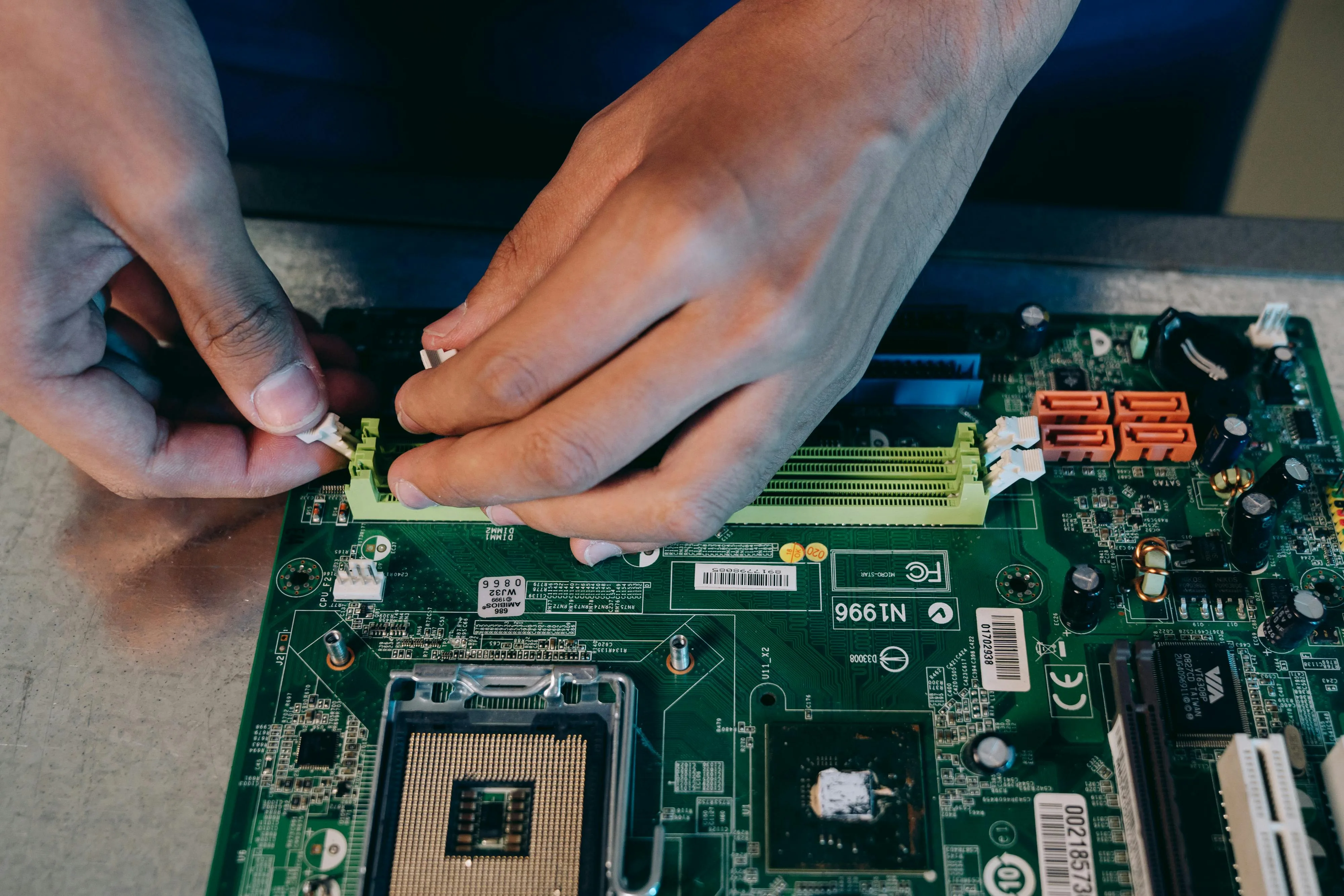
Your Field Techs Don’t Need Another App — They Need the Right SOP Offline
The edge is bandwidth-constrained
Stores are noisy RF environments. Back rooms are dead zones. Remote locations ride shaky circuits. When a lane fails, your frontline can’t wait for a spinner. Connectivity is a design constraint, not an exception. If retail POS documentation assumes perfect networks, it fails the moment it matters most. Field teams need the correct steps, bound to the device and software profile in front of them, available the instant a fault appears—whether the signal is strong, weak, or gone.
Another app won’t fix context
Adding yet another tool increases toggles and training. What techs need is fewer choices, not more screens. The right answer should appear inside the workflow they already use: the agent desktop, the POS overlay, or the field mobile. The assistant should preload context from the environment (model, OS/POS version, peripherals attached, recent image changes) and present one path that fits that configuration. No hunting. No guesswork. No “pick the closest article.”
What “offline-ready” actually requires
Offline-capable isn’t just a cache toggle. It’s a design pattern.
- Pre-fetch by risk: Cache the top procedures for each store’s device mix and fault history, not a generic bundle.
- Bind to versions: Package the SOP variant tied to the image and driver set that store actually runs.
- Embed execution assets: Include screenshots, command snippets, test utilities, and hazard notes inside the step that needs them.
- Attach parts to steps: List the tool or part at the exact moment it’s required, not on a separate page.
- Encode go/no-go: Make pass/fail checks explicit so escalation is a decision point, not a conversation.
- Record outcomes locally: Log step results, artifacts, and timestamps on device; sync when the network returns.
Sequence beats search
Search is fragile at the edge. The better pattern is guided execution: a short intake confirms context (“Model X, OS build Y.Z, payment driver A.B installed?”), then the assistant drives a fixed sequence. Each step contains the action, the check, and the expected result. If a check fails, decision logic branches to the next best action. If an escalation is required, the assistant gathers the right evidence—logs, screenshots, transaction IDs—without extra forms. The user advances or exits on clear criteria, not intuition.
Design the content to survive poor networks
Long PDFs and image-heavy pages stall on weak connections. Break procedures into addressable steps with unique IDs and lightweight assets. Favor vector diagrams over giant bitmaps. Strip decorative elements. Compress media aggressively. Keep the written instruction concrete and compact. Reference only what the user can see on the device in front of them. Every byte that isn’t essential becomes latency.
Keep the cognitive load low
Field work happens under time pressure, often in cramped spaces. Reduce optionality. Avoid “either/or unless” phrasing. Prefer numbered steps over paragraphs. Call out hazards in-line, not in an appendix. Use the same labels as the UI on the device; don’t rename buttons. When a step depends on a precondition, test that precondition inside the flow before proceeding. The best AI copilots aren’t chatty; they are precise, quiet, and predictable.
Synchronize facts, not prose
When connectivity returns, sync structured outcomes, not free text. Step IDs passed or failed, artifacts captured, parts used, elapsed time, resolution status. That telemetry feeds the single source of truth without adding editorial burden. Owners see where sequences fail in the field and adjust the canon. Updates publish back to every channel—agent desktop, POS overlay, mobile—so the next incident starts with a better sequence.
How dispatch improves when SOPs work offline
Schedulers plan cleaner visits when skills, parts, and steps are visible together. The assistant can preflight a visit: confirm the store’s image build, validate the peripheral set, and propose the parts kit based on the most likely branch of the sequence. On arrival, the tech follows the same path the agent saw. No reinterpretation. No rework. First-time-fix rises because the procedure and the kit match reality.
What changes in training and adoption
New hires learn one way to clear a fault rather than three ways to look for it. The assistant teaches the workflow while work happens. There’s less emphasis on memorizing documents and more on executing steps with care and capturing outcomes. Teams stop hoarding private notes because the system reliably reflects the live estate. Adoption grows because the tool removes uncertainty; people stick with what consistently works under pressure.
The operational payoff
When knowledge unification is delivered as offline-capable, context-bound sequences, handle time shrinks even in poor network conditions. Repeat visits drop because the same canonical path appears in every channel. Costs fall as Tier-1 deflects and field time turns into clearances rather than retries. Most importantly, variance collapses: the fix on a Tuesday night in a low-signal store matches the fix on a Saturday morning in a flagship. That consistency is the hallmark of a system that respects the realities of the edge.

Citations Over Confidence: How Source-Linked Answers Build Trust in POS Support
Confidence is not a control
Retail teams move fast. Under pressure, an AI copilot that replies quickly can feel helpful—even when its guidance isn’t anchored to reality. Speed without provenance is a liability. In a mixed POS estate, confident but uncited answers propagate wrong steps, misconfigure devices, and erode trust at the lane. Compliance teams can’t audit them. Trainers can’t fix them. Leaders can’t defend them. If retail POS documentation is the single source of truth, every answer the assistant delivers should point back to that truth with clear, machine-verifiable provenance.
The risk profile of uncited guidance
Uncited guidance fails where it matters most: accountability, repeatability, and change control.
- Accountability: No way to see who authored or last reviewed the underlying steps, or when.
- Repeatability: Two shifts get two answers with no visible reason for the difference.
- Change control: Firmware and driver updates outpace static text; the assistant can’t show whether a step still applies to the image in front of the user.
- Escalation quality: Without a cited baseline, escalations carry opinions rather than evidence—slowing resolution and inflating cost.
- Audit gaps: In regulated flows (payments, tax, data handling), leadership can’t prove that frontline actions followed an approved procedure.
Confidence is a tone. Citations are a control. Controls survive audits, turnover, and release velocity.
What a “citation” means in practice
Citations are not footnotes. They are a compact chain of custody that travels with the answer.
- Source ID: The canonical procedure or asset that informed the step (unique ID, not a file path).
- Version & freshness: Version number, last review date, and state (live, superseded, deprecated).
- Scope binding: The device models, OS/POS versions, peripheral sets, and store profiles the procedure supports.
- Change reason: Why this version exists (e.g., driver rollback guidance added after failures in build X.Y).
- Owner: Named owner responsible for accuracy and updates.
- Evidence packaging: Required artifacts to collect (logs, screenshots, transaction IDs) when the step fails.
When the assistant presents a step, it presents the citation metadata with it—concise for the frontline, complete for audit.
How to design citation-first AI copilots
A citation-first copilot treats provenance as a first-class signal from retrieval to execution.
- Retrieve by context, not keywords. Use environment facts (model, OS/POS version, peripherals) to select the canonical procedure bound to that configuration.
- Attach provenance to each step. Show version, owner, and last review date inline, not hidden in a separate view.
- Enforce go/no-go criteria. Encode pass/fail checks. If a check fails, the branch logic both cites the next source and captures required artifacts automatically.
- Record outcomes against sources. Log step IDs, results, and artifacts to the same source IDs that powered the answer. Close the loop without extra forms.
- Block stale or ambiguous content. If version bindings don’t match the environment, warn or block execution and surface the correct variant where it exists.
- Publish everywhere at once. When owners update the canon, the change becomes the cited baseline across POS, agent desktop, and field mobile simultaneously—online or offline.
What the frontline should see
Citations must be visible, not performative. The display pattern is simple:
- Step label: Action written in the same language as the device UI.
- Check: What “good” looks like, with a specific pass/fail test.
- Why this step: One-line rationale to build judgment.
- Provenance chip: Source ID, version, and freshness in a compact badge.
- Hazard & tools: In-line, at the moment they matter.
- Escalation criteria: Exactly when to stop and what to collect.
The assistant stays quiet on style and loud on facts. Users learn to trust it because it shows its work.
Operational gains from citation discipline
A citation-first design reinforces the entire operating model:
- Trust: Agents and techs follow the path they can see and verify, not the loudest opinion.
- Speed: Decisions compress because provenance answers “which version, for which build” immediately.
- Quality: Authors fix the step that fails, not the story around it, because outcome logs map to step IDs.
- Governance: Owners see where guidance decays and update the canon with measured impact, not guesses.
- Auditability: Leadership can demonstrate that frontline actions aligned to approved, current procedures.
When knowledge unification and citations travel together, AI copilots become a force multiplier rather than a wildcard.
An applied scenario
A store reports intermittent payment failures after a driver update. The assistant detects the model and build, selects the payment procedure bound to that image, and presents a sequence with provenance chips on each step. A check fails at the driver handshake. The branch logic instructs a rollback, lists the exact package, and auto-collects logs before execution. Outcome logs tie to the step IDs. Content owners see a spike in failures at that step-version combination, add a hazard note to the canon, and publish a new sequence. The next incident runs the updated, cited path. No folklore required.
The leadership lens
Without citations, AI answers are opinionated text that’s hard to govern. With citations, answers become executable decisions you can measure and defend. In a heterogeneous POS estate moving at retail speed, that difference separates systems that slowly lose credibility from systems that get more reliable with every shift.

Building the Retail POS Knowledge Graph
What it is
A POS knowledge graph is the structural backbone that turns scattered artifacts into decisions. It models the store estate—devices, software builds, peripherals, networks—and binds each procedure to the exact configurations it supports. Instead of serving generic documents, the graph selects one authoritative path for the environment in front of the user. That is how knowledge unification becomes computable and reliable at retail speed.
Why POS needs a graph, not a folder
Folders hold files. Graphs hold relationships. In a mixed fleet, the same symptom can require different steps by device model, OS build, payment driver, or region. A folder can’t express “this procedure applies to Model A with Build X.Y and Driver V, but not to Model B with Build X.Y and Driver W.” A graph can. It encodes those constraints so the assistant can pick the right path in milliseconds, without asking the frontline to decide under pressure.
Core entities (keep them small and stable)
Design a minimal schema you can maintain. It should express the estate and the work.
- Asset: device model, firmware, OS/POS version, peripheral set, network profile.
- Procedure: canonical fix with step blocks, hazards, parts, tools, preconditions, expected outcomes, go/no-go checks.
- Binding: relationship tying a procedure to the assets and versions it supports.
- Evidence: logs, screenshots, transaction IDs captured during execution.
- Event: releases, patches, policy changes that may affect procedures.
- Ownership: accountable person or team, review cadence, current state (draft, live, superseded, deprecated).
If you can’t draw these on a single whiteboard, you’ve overbuilt it.
Data sources and ingestion
Your graph should ingest both static and dynamic inputs.
- Static: OEM manuals, integrator guides, SOP PDFs, LMS modules.
- Dynamic: ticket narratives, resolution codes, chat threads, field notes.
- Change signals: release notes, firmware and driver updates, security policies.
- Context feeds: asset inventories by store, image build histories, peripheral mappings.
Normalize everything to step-level blocks with unique IDs. Strip formatting noise. Preserve provenance.
Versioning and variance
Versioning is where graphs earn their keep.
- SemVer for content: version procedures like software. Small edits bump patch; step order changes bump minor; safety-critical changes bump major.
- Variance by binding: avoid copying a procedure for every model; bind one canonical path to many assets when steps are identical, and override only where they differ.
- Supersession: never “update in place” without history. Supersede explicitly so audits and rollbacks are possible.
Context binding and selection
Selection is the moment of truth. Get it right and search disappears.
- Auto-detect context: pull device model, OS/POS build, drivers, and peripherals from telemetry or intake.
- Resolve conflicts deterministically: if two procedures claim the same scope, choose the higher-freshness, higher-specificity path.
- Block mismatches: if no procedure binds to the detected build, show that explicitly and route to the nearest safe alternative or escalation—not guesswork.
Execution surfaces (same canon, many views)
Delivery must meet the user where work happens.
- Agent desktop: sequenced steps with inline checks, parts, hazards, and provenance chips.
- POS overlay: compact mode for in-lane clears; minimal decisions, concrete labels.
- Field mobile: offline-first, with pre-fetched procedures matched to the store’s asset mix; outcome logs sync later.
- Back office: authoring and governance views for owners; change queues and impact maps.
Different surfaces, one canonical path.
Telemetry: capture facts, not prose
Execution should generate structured data without extra forms.
- Step results: pass/fail/skip with timestamps.
- Artifacts: evidence bundle IDs for logs, screenshots, transaction traces.
- Outcome: resolved/escalated/deferred with reason codes.
- Resource use: parts consumed, tools required, elapsed time.
These facts flow back to the graph and attach to the same step IDs that drove the answer. That is how you learn where guidance fails and why.
Governance you can run every week
Governance must be light enough to sustain.
- One canon per fix: merge duplicates, deprecate near-copies.
- Explicit states: draft, live, superseded, deprecated—visible to everyone.
- Owner SLAs: named owners with review cadences; changes time-boxed, not open-ended.
- Release hooks: each event maps to the affected bindings; targeted reviews replace broad rewrites.
- Impact trails: show where a change propagates—stores, assets, training, and reporting.
Quality gates that matter
Measure what protects the lane, not what flatters dashboards.
- Coverage: percent of top incidents with a live, bound procedure.
- Freshness: median days since last review for high-volume paths.
- Selection accuracy: rate of correct auto-selection on first try.
- Step reliability: failure rates by step ID, not by ticket.
- Deflection and FTF: routine issues resolved without human escalation; field visits resolved without revisit.
- Handle time and time to dispatch: before/after deltas as changes ship.
If a metric doesn’t influence action, retire it.
Implementation in three passes
You don’t need a big bang. You need momentum you can sustain.
- Stabilize the core (weeks): ingest top incidents; normalize to step blocks; bind to current images and models; publish to agent desktop; stand up owner SLAs.
- Extend to the edge (weeks to a quarter): add POS overlay and field mobile; preload offline bundles by store; instrument step-level telemetry; enforce supersession.
- Industrialize (quarter and beyond): wire release feeds to review queues; expand bindings across variants; harden selection rules; add preflight kits for dispatch; fold training into the same canon.
Each pass should reduce search, cut handle time, and raise first-time-right outcomes—visible on the same scorecard.
What good feels like in the store
The assistant recognizes the environment and presents one path. Steps are in execution order with checks and parts where they’re needed. Hazards are clear. Escalation is unambiguous. When networks falter, procedures still run; results sync later. Agents resolve instead of hunting. Technicians arrive with the right kit and clear it in one visit. Leaders see which steps fail and fix the step, not the story. The graph doesn’t add process—it removes friction. That is the point: convert documentation into a system that decides correctly, quickly, and consistently at the edge.

Proof in Action: How Retail Service Leaders Are Fixing Fragmentation
The repeatable pattern
Across very different environments—retail POS providers, consumer hardware brands, and enterprise software running inside Microsoft 365—the same sequence delivers results: unify guidance into a single source of truth, bind it to context, and deliver it through AI copilots at the point of work. When knowledge unification precedes automation, deflection rises, handle time falls, and first-time-fix improves. The specifics vary by estate; the improvement curve does not.
Retail tech services provider (POS and back office)
Before unification, queues filled with “printer offline,” “payment not captured,” and “SKU sync” tickets. The same fix existed in multiple places with different step orders. Dispatches carried the wrong kit because parts lists lived in separate documents. After consolidating retail POS documentation into one governed corpus and exposing it through AI copilots in the agent desktop and the field mobile:
- Routine queries resolved automatically at scale, shifting the workload mix toward genuinely complex issues.
- Average hours saved per IT agent exceeded double digits weekly.
- Cost per Tier-1 ticket fell from tens of dollars to single digits.
- Store uptime stabilized above 99 percent as the same canonical sequence appeared in every channel.
Why it worked: one procedure per fix, step-level checks, parts embedded at the step that needs them, offline bundles pre-fetched by store profile, and provenance attached to each answer so trust increased instead of eroding over time.
Consumer fitness equipment brand (retail, e-commerce, service)
High pre-sales load and post-purchase backlogs hid a simpler root cause: fragmented guidance across site FAQs, manuals, class schedules, and warranty policies. The brand unified content and deployed assistants across web, commerce, and support:
- Pre-sales conversion rose from roughly three percent to mid-single digits as sizing and model questions were answered consistently.
- First response time fell from hours to minutes; buyers stopped waiting and started acting.
- Retention improved across the first 90 days as onboarding and assembly flows became repeatable, not reinvented per shift.
- Support cost per ticket fell by more than half; multilingual coverage expanded without a staffing spike.
The driver was not “chat” in isolation; it was a single source of truth powering consistent answers and proactive nudges—class bookings, accessory fits, and warranty registration—from the same canon.
Microsoft-centric task and project platform (in-product support)
A software provider embedded AI guidance directly in Teams and related Microsoft surfaces. Prior to unification, onboarding dragged and support queues absorbed how-to questions that documentation nominally covered. With a governed corpus feeding an in-app copilot:
- More than two-thirds of Tier-1 tickets resolved automatically.
- Average resolution time dropped from roughly an hour to well under a quarter hour.
- Supported languages expanded from single digits to triple digits without duplicating content.
- Agent productivity quadrupled as the assistant delivered the exact sequence inside the user’s current context.
Again, the enabling move was computable knowledge: procedures atomized into steps with IDs, checks, and outcomes—so the assistant could drive execution and capture telemetry without extra forms.
Transferable lessons (what actually changed)
- One canon per fix: Duplicates were merged; near-copies were retired. Teams stopped arguing about which version to trust.
- Context binding: Procedures were tied to models, builds, drivers, peripherals, and store profiles. Selection logic chose the right variant; users didn’t.
- Citation discipline: Each step carried source, version, owner, and freshness. Users saw where guidance came from; auditors could prove alignment.
- Execution surfaces: The same canonical sequence rendered in the agent desktop, POS overlay, and field mobile—online or offline.
- Outcome telemetry: Step results and artifacts flowed back automatically, so authors edited the step that failed, not the story around it.
Indicators that moved first (and stayed up)
- Deflection: Routine issues handled by guidance or copilot, not by humans.
- First-time-fix: Field visits resolved without revisit because the kit and the steps matched reality.
- Handle time: Compressed as search vanished and decisions were encoded into the flow.
- Uptime: Stabilized because every channel delivered the same, validated path.
- Training time: Shortened as new hires learned workflows instead of tool archaeology.
- Confidence: Rose at the store because guidance finally matched what people saw on the device in front of them.
What didn’t move—until the architecture changed
Publishing more documents didn’t help. Adding another portal added another place to go wrong. Generic chat without provenance accelerated bad advice. The shift only happened when leaders treated documentation as an operational system: governed, context-bound, citation-first, and delivered where work happens. That is why the improvements sustained through release cycles, turnover, and peak-season load.

The Roadmap to Knowledge Unification
Start with the reality, not the ideal
Unification succeeds when it targets the incidents that actually move cost and experience, not a theoretical library. Begin with the top recurring faults by volume, handle time, and revisit rates. Limit scope to the asset mix and software builds that drive most traffic today. Define success in execution terms: faster decisions, fewer revisits, consistent outcomes at the lane.
Phase 0 (Weeks 0–2): Align and set guardrails
Create the operating constraints before moving content.
- Owner model: Each procedure has a named owner and backup. No anonymous pages.
- Lifecycle states: Draft, live, superseded, deprecated—visible to everyone.
- Editorial rules: One canonical article per fix; merge near-duplicates; forbid parallel truths.
- Safety and compliance: Define hazards, data handling, and audit fields that must appear in any live procedure.
- Telemetry baseline: Agree on what to measure from day one: coverage, freshness, selection accuracy, deflection, first-time-fix, handle time, time to dispatch, uptime, training time.
This is the contract that keeps accuracy ahead of activity as volume grows.
Phase 1 (Weeks 2–6): Stabilize the core
Normalize the few procedures that solve most problems. Make them computable.
- Ingest and normalize: Manuals, tickets, PDFs, vendor notes, and training modules become step blocks with unique IDs.
- Bind to context: Each procedure ties to device models, OS/POS versions, drivers, peripherals, and store profiles.
- Encode decisions: Replace vague guidance with explicit checks and go/no-go criteria.
- Embed execution assets: Steps include parts, tools, commands, screenshots, and hazards in-line.
- Supersede explicitly: Retire look-alikes; preserve history for audit and rollback.
Acceptance criteria: A single, authoritative path exists for each of the top incidents; owners are assigned; states and review cadences are visible.
Phase 2 (Weeks 6–10): Deliver where work happens
Publish the same canon to every execution surface. Do not stagger by tool.
- Agent desktop: Sequenced steps with inline checks, hazards, parts, and provenance.
- POS overlay: Compact, low-decision mode for in-lane clears; concrete labels that match the device UI.
- Field mobile: Offline-first bundles pre-fetched by store device mix and recent faults; local outcome logging with later sync.
- Selection logic: Auto-detect model, build, drivers, and peripherals; choose the bound procedure deterministically. Warn or block on mismatches.
Acceptance criteria: Search time collapses, selection is automatic, and the same sequence appears in all channels.
Phase 3 (Weeks 6–12): Instrument and govern
Make improvement a by-product of doing the work, not a separate project.
- Structured outcomes: Log step results (pass/fail/skip), artifacts (logs, screenshots, transaction IDs), parts used, elapsed time.
- Change queues: Frequent failures or missing artifacts open change requests against the specific procedure and step.
- Dual clocks: Event-based reviews on releases and patches; cadence reviews on high-volume procedures.
- Promotion gates: Promote changes when pilot metrics improve: deflection up, first-time-fix up, handle time down.
Acceptance criteria: Owners can trace failures to step IDs; updates ship on schedule; metrics move in pilots before fleet rollout.
Phase 4 (Quarter 2+): Extend and industrialize
Scale the system without reintroducing noise.
- Variant bindings: Bind the same canon across device models and regions; override only where steps differ.
- Preflight dispatch: Combine skills, parts, and SOPs so schedulers plan clean visits; produce the parts kit likely to match the execution path.
- Release hooks: Map each release note or image change to affected procedures; open targeted reviews automatically.
- Training integration: Use the same canonical steps in learning; teach workflows, not tool navigation.
- Quality dashboard: Track coverage, freshness, selection accuracy, step reliability, deflection, first-time-fix, handle time, time to dispatch, and uptime in one view.
Acceptance criteria: The canon stays small, current, and widely reused; release velocity does not degrade selection accuracy or first-time-fix.
Roles that keep it moving
- Knowledge owner: Accountable for accuracy, freshness, and outcomes of assigned procedures.
- Author/editor: Maintains step logic, embeds assets, and manages supersession.
- SME partner: Validates hazards, edge cases, and device-specific nuances.
- Field champion: Confirms steps survive real conditions and poor connectivity.
- Release manager: Links changes in builds, drivers, and features to the procedures they touch.
- Governance lead: Runs the cadence, reviews metrics, resolves conflicts, and enforces the “one canon” rule.
Ownership is the difference between a library and an operating system.
Minimal schema (keep it maintainable)
Do not overbuild. Express only what drives correct selection and safe execution.
- Asset: model, firmware, OS/POS version, peripherals, network profile.
- Procedure: step blocks with IDs, checks, hazards, parts, tools, expected outcomes.
- Binding: links the procedure to supported assets and versions.
- Event: releases, patches, policy changes.
- Evidence: logs and artifacts captured during execution.
- Ownership: owner, state, review cadence, last review.
If you can’t sketch the schema on a whiteboard, it will be hard to sustain.
Risks and how to counter them
- Parallel truths reappear: Stop copy-paste. Merge near-duplicates; supersede explicitly.
- “Paper launch” with no adoption: Publish into existing workflows; avoid new portals unless required.
- Selection mistakes at scale: Harden binding rules and warn on mismatches; favor higher-specificity, higher-freshness procedures.
- Release-driven drift: Treat release notes as triggers; review affected procedures before peak.
- Vendor lock-in via format: Store the canon in portable structures; keep your IDs, bindings, and provenance independent of any one tool.
30/60/90 checkpoints
- Day 30: Owners named; guardrails in place; top incidents normalized and bound; first surface live for pilot.
- Day 60: All surfaces live for pilot; selection accuracy above a defined threshold; outcome telemetry flowing; first procedure updates promoted from pilot results.
- Day 90: Fleet rollout for top incidents; deflection and first-time-fix measurably up; handle time and time to dispatch down; backlog stabilized; review cadence running.
What success looks like at the edge
The assistant recognizes the environment and presents one sequence. Steps are in execution order, with parts and hazards where they belong. Checks are explicit; escalations carry the right evidence. When networks falter, procedures still run and results sync later. Agents resolve instead of hunting. Technicians clear in one visit. Stores get the same answer regardless of shift or region. Leaders manage outcomes from one scorecard. That is knowledge unification working as a system, not a set of documents.
For customer support teams
See Auralis on your support desk
A 30-minute walkthrough on your own channels: phone, email and chat, with handoff to your agents.
Book a demoSenior Software Engineer
Related posts
What an AI agent should say during a security lockdown
When IT locks things down, an AI agent on your service desk is still talking to customers. What it should say when it can't see e-automate, and what happens when you revoke its access.
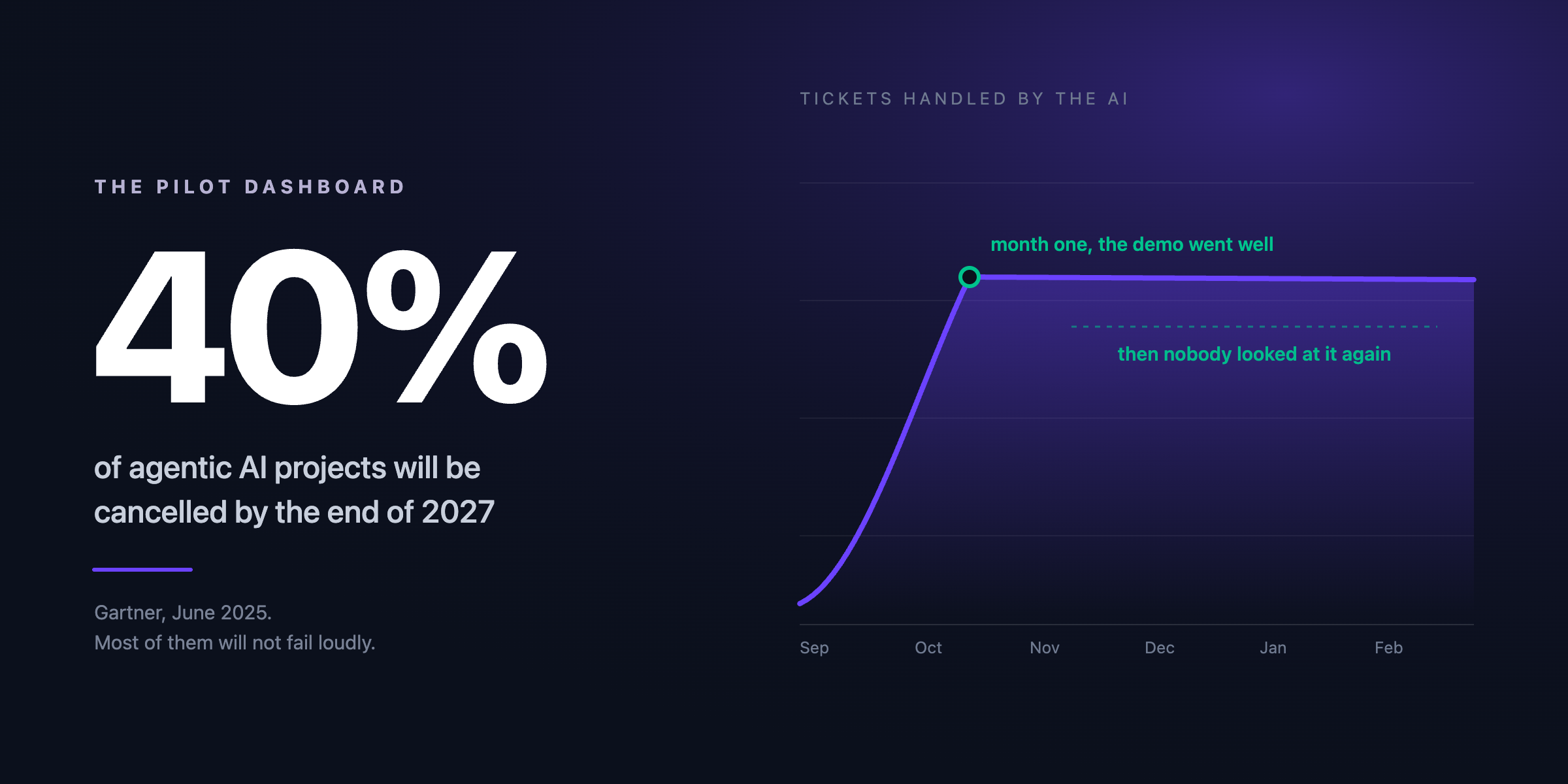
Why most AI support pilots stall
Most AI support pilots end with everyone losing interest, not with a decision. The three reasons we keep seeing, with Gartner and Klarna as the evidence, and what the pilots that survive tend to look like.
Securing AI Integrations Across Multi-Channel Support
Explore how to secure AI integrations in multi-channel support, protecting customer interactions across platforms.