

AI Help Desk: How to Automate Your IT Service Desk

September 8, 2026 · 6 min read
On this page
When you log in to your helpdesk on a bright Monday morning, you see that you're blasted with requests, ranging from password resets to software installs, and as you work down the queue you also notice a few genuinely complex incidents buried underneath.
However, you can't just ignore the voluminous work that is the first level incidents, just to focus on the truly gratifying, complex work that sits before you. Or can you?
For a long time the answer was no. Somebody had to reset those passwords, somebody had to provision that software, and that somebody was going to be a person on your team. What's different now is that a good chunk of that work doesn't actually need a person anymore. Gartner predicts that by 2029, agentic AI will autonomously resolve 80% of common customer service issues without human intervention, and cut operational costs by 30% along the way. The expectation on the other side has moved too. Zendesk's Global CX Trends 2026 found 88% of customers expecting faster response times than they did a year earlier, and 74% now expecting service to be there around the clock because of AI.
In this post, we're going to share what an AI help desk is, why IT teams are moving to one, and how to set one up without breaking what already works.
What is an AI help desk?
An AI help desk is a layer that sits over your service desk. It resolves the employee IT requests it can handle on its own, triages the ones it can't, and gives your agents the knowledge they need when they need it, without you having to replace the ITSM stack you have already paid for.
The useful question to ask about any of these tools is whether it can actually go and do something, or whether it can only tell somebody else what to do.
Why are IT teams moving to an AI help desk?
Here's what we're seeing push IT leaders towards it:
1. Your L1 volume stops eating the queue
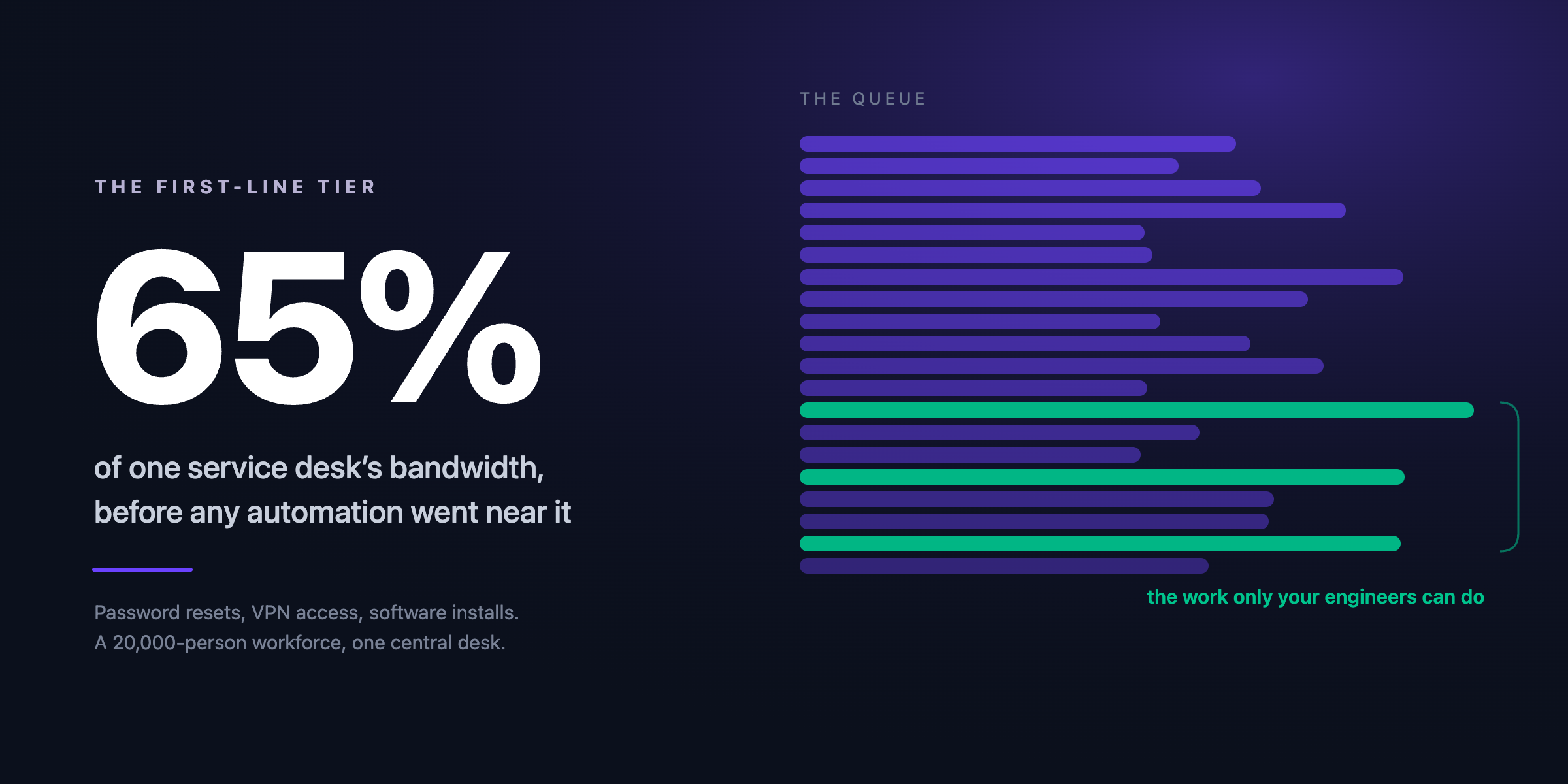
Password resets, VPN access and software provisioning come in constantly and they rarely vary much, which is why they tend to be the tickets sitting untouched while somebody waits half a day for something that takes seconds. In one deployment across a 20,000-employee workforce, this tier alone was taking up 65% of total service desk bandwidth before any automation went near it.
2. Triage happens before a human opens the ticket
A lot of what gets called escalation overload is really a triage problem. Tickets land at L2 with no category, no priority and none of the detail an engineer needs to make a start, so they get bounced around instead. An AI help desk can sort, prioritize and fill in that context on the way in, which means your engineer opens something they can actually work on.
3. Your knowledge finally reaches the agent who needs it
Most service desks have plenty of documentation. What they don't have is documentation that shows up at the right moment, matched to the version and the system the user is actually on. Solutions like Auralis AI can pull that content in from wherever it already lives and keep it synced, so what your agent reads on Thursday still matches what's sitting in front of them. Brynjolfsson, Li and Raymond studied 5,179 customer support agents given a generative AI assistant and found issues resolved per hour rose 14% on average, with a 34% improvement among the newest and least experienced staff, because the tool put the better agents' working habits in front of everybody else.
How to set up an AI help desk in your IT service desk
Here's how we recommend approaching it:
The same four steps, in full:
- Audit twelve months of tickets by type, volume and time to resolve, and then keep measuring those same things afterwards. Otherwise you won't know whether tickets are being solved or just closed.
- Automate your top five request types first. Going after the whole queue at once tends to go badly, and people lose confidence in the project early.
- Connect your knowledge sources live instead of importing them once. Stale content is how you end up with a confident, wrong answer.
- Agree your hand-off rules before you launch, and pass the full context across when the AI escalates, so nobody has to explain their problem twice.
Ready to take repetitive tickets off your service desk?
To conclude, an AI help desk isn't just a chatbot. By virtue of the innovative way in which it solves problems, it can encompass a broader range of resolution layers that read tickets, acts within safety parameters, and passes the rest on to your team, with context. You wouldn't even have to tear out your whole system. Auralis AI can fit snugly within your layers of infrastructure, and do its job.
Want to know more about setting up an AI help desk? Book a demo of Auralis AI today.
For IT service desks
See Auralis on your IT help desk
A 30-minute walkthrough on your own queue: password resets, access requests, triage and escalation.
Book a demoCo-Founder & CEO
Related posts
A Complete Guide To IT Service Management (ITSM) 2025
Learn more about the impact of AI and automation on IT service management, and how it is enabling businesses to deliver customer experiences.

How Auralis AI is Transforming Helpdesk Workflow
Learn how building custom AI-enabled CX workflows can help streamline how you manage helpdesk workflow.
Best AI to Help with Help Desk IT Issues: Auralis vs. Generic Chatbots
Compare Auralis AI with generic chatbots for IT help desk support. How intelligent automation improves resolution speed and agent productivity.